
How to flush DNS - windows

I. Flushing DNS Cache in Windows 8:

1. Press the Windows Logo+R keys together and the Run box will appear.

2. Type in cmd and hit ENTER.
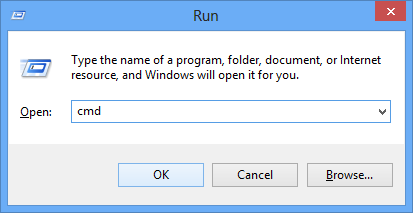
Run Box

Type in cmd and hit ENTER

3. In the CMD window that you just opened, type in following command:

ipconfig /flushdns
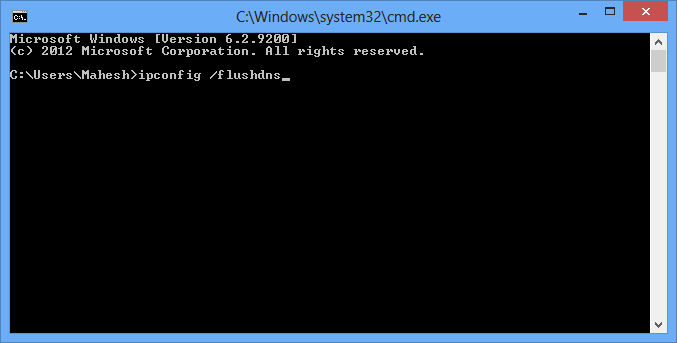
CMD Flush DNS

Type the command and hit ENTER

4. Wait for it to flush the cache.

5. You’re done!

Great! The DNS cache’s been successfully flushed and you should now be able to access any site that you were having issues with!

  • 0 用戶發現這個有用
這篇文章有幫助嗎?

相關文章

451 Temporary local problem + Squirrel mail

Message not sent. Server replied: Requested action aborted: error in processing 451 Temporary...

Locations of Common Log Files on cPanel Servers

One of the nice things about cPanel based servers is the way that they keep the location of key...

bash: /bin/rm: Argument list too long - Solution

Symptoms This error message appears when you try to remove, move or copy a long list of files....

tuning-primer.sh – an alternative for mysqltuner

Insatllation cd /usr/local/bin wget https://launchpadlibrarian.net/78745738/tuning-primer.sh...

How to install mysqltuner

  How to install mysqltuner  wget http://mysqltuner.com/mysqltuner.plchmod +x...